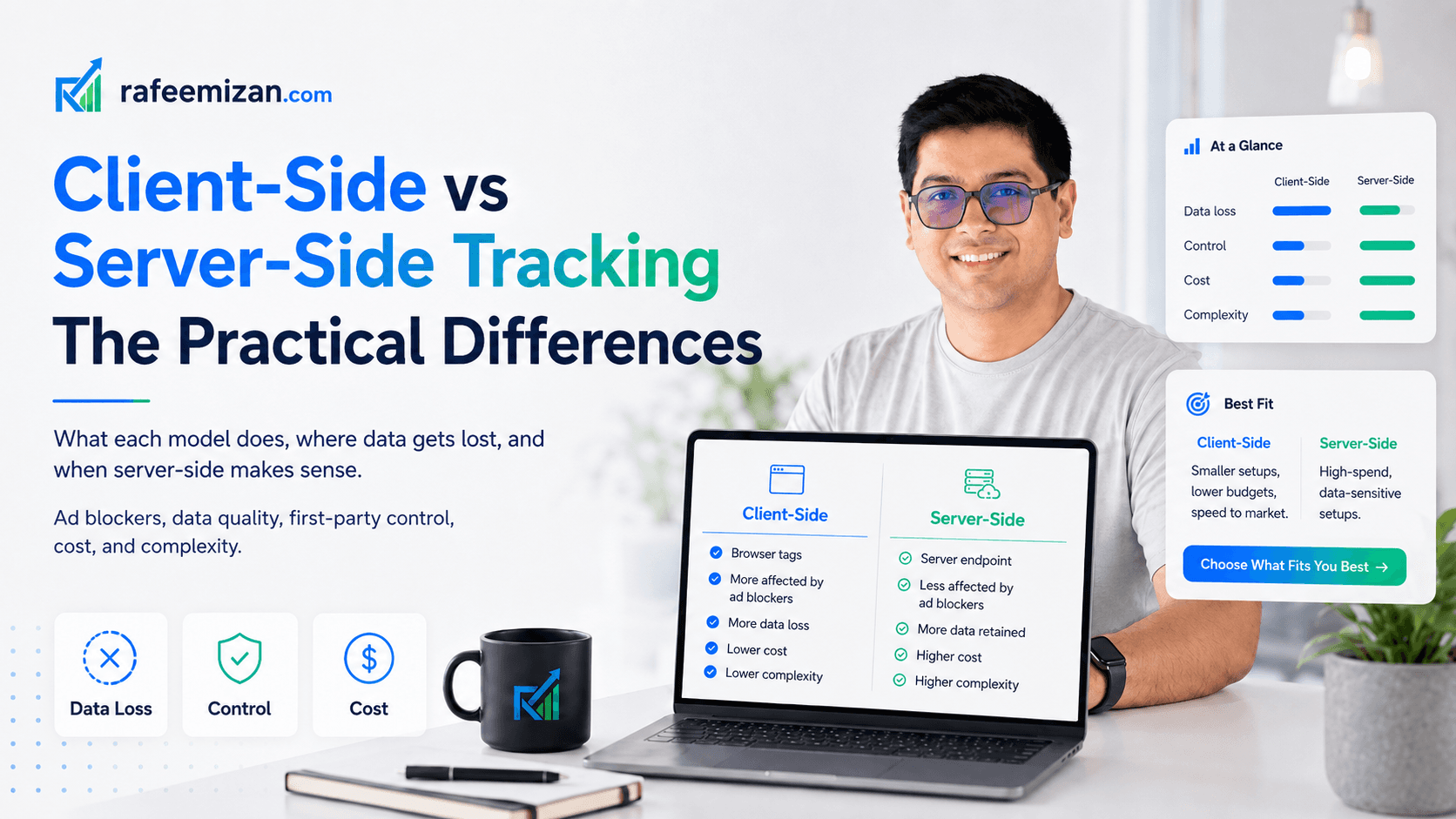
Client-side and server-side tracking are two different architectures for sending data from your website to analytics and advertising platforms. Understanding the difference matters if you are trying to improve data quality, reduce the impact of ad blockers, or plan a more robust tracking setup.
Here is what each one actually means, in plain language.
Client-side tracking: what it is
Client-side tracking is the standard setup. When a user visits your site, their browser downloads your JavaScript (including Google Tag Manager or a hardcoded analytics script), and that script sends tracking data directly from the browser to Google, Meta, or wherever else.
The data flow: User browser > Google Analytics / Meta Pixel / Google Ads / etc.
Everything happens in the user's browser. The user's device makes the requests. The user's browser can also intercept, block, or alter those requests.
This is how 95% of websites track analytics and conversions.
Server-side tracking: what it is
Server-side tracking moves the tracking logic to a server you control. Your website sends a single event to your server. Your server then forwards that event to GA4, Google Ads, Meta CAPI, LinkedIn, and anywhere else it needs to go.
The data flow: User browser > Your server > Google Analytics / Meta CAPI / Google Ads / etc.
The user's browser only talks to your server. Your server talks to the ad platforms. The user's browser cannot intercept the requests that happen between your server and the platforms.
Server-side tracking typically uses Google Tag Manager Server-Side (sGTM) as the processing layer, running on Google Cloud, AWS, or a managed service like Stape.io.
The practical differences
Ad blockers and browser extensions
Client-side: Most ad blockers maintain lists of known tracking domains (google-analytics.com, connect.facebook.net, analytics.tiktok.com). When a user has an ad blocker, those requests are blocked before they leave the browser. You lose that data entirely.
Server-side: Requests from your browser go to your own domain (e.g., track.yourdomain.com). Most ad blockers do not block first-party domains. Your server then forwards the data to Google, Meta, etc. — but the user's browser never makes those requests directly. Result: you recover data from users with ad blockers.
For many B2B and tech audiences, 20-40% of users have some form of ad blocking. This is a significant data gap.
Cookie duration and ITP
Client-side: JavaScript-set cookies in Safari are subject to Intelligent Tracking Prevention (ITP). First-party cookies set via JavaScript (not server) are capped at 7 days. This means if someone visits your site and converts 10 days later, that conversion cannot be attributed to the first session.
Server-side: Cookies set by your server as true HTTP cookies are not subject to the same ITP restrictions. You can set cookies with a 30, 60, or 90-day expiry that Safari will respect. This extends your attribution windows back to what they were before ITP.
Data quality and enrichment
Client-side: Data is collected by the browser, which only has access to what is visible in the browser session. You cannot easily add server-side context (user account status, order value from your database, subscription tier, etc.) to client-side events.
Server-side: Your server has access to your database, your CRM, and whatever else you store server-side. You can enrich events with additional context before forwarding them to GA4 or Meta. A purchase event can include the exact revenue, product margin, or customer lifetime value from your backend.
Data control and privacy
Client-side: Once data leaves the browser heading to Google or Meta, you have limited control over what gets sent. The tag manager or pixel code determines what is transmitted.
Server-side: You control what data gets forwarded to each platform. PII (email addresses, phone numbers) can be stripped before it reaches Google Analytics if you do not want it there. Sensitive fields can be hashed before being sent to Meta for matching. You have a filtering layer between your raw data and the platforms.
Page load performance
Client-side: Each tracking vendor loads its own JavaScript. GA4, Meta Pixel, LinkedIn Insight Tag, TikTok Pixel — each adds HTTP requests, JavaScript execution, and bandwidth. Heavily tracked pages can have 10+ tracking requests on page load.
Server-side: The browser loads one lightweight script that sends a single event to your server. Your server handles the fan-out to all platforms. The browser's work is minimal. This reduces page load time, which affects user experience and Core Web Vitals.
Complexity and cost
Client-side: Simple. GTM makes it accessible to non-developers. A basic setup can be configured in a day. Cost is just the GTM platform (free) plus any tag vendor costs.
Server-side: More complex. Requires a server to run on (cloud infrastructure), knowledge of server-side GTM configuration, and more advanced understanding of tracking architecture. Implementation costs are higher. Running costs are ongoing (cloud hosting, 25-400 EUR/month depending on scale).
When does server-side make sense?
Server-side tracking makes a clear business case when:
- Your audience has significant ad blocker usage (B2B, tech, developer tools)
- You spend heavily on Google Ads or Meta and care about conversion signal quality
- You need extended attribution windows beyond 7 days in Safari
- You have data privacy requirements that benefit from filtering before data reaches ad platforms
- Page performance is a priority and you have many tracking scripts loading
It does not make sense when:
- Your site is small and your ad spend is low (implementation cost exceeds the value recovered)
- Your client-side setup is still broken (fix the fundamentals first)
- You do not have technical resources to implement and maintain a server-side setup
The most common hybrid approach
Most businesses with meaningful tracking needs end up with a hybrid:
- Client-side GTM for most tags (GA4, CMP, some pixels)
- Server-side GTM for high-value conversion events where data quality matters most
- Meta CAPI running server-side alongside the client-side Pixel
- Google Ads enhanced conversions as an intermediate step before full server-side
This gives you most of the server-side benefits for conversion data without rebuilding your entire tracking architecture from scratch.
For an example of a clean client-side event taxonomy done right, without needing to go server-side, see this case study on a Nordic travel platform's event tracking implementation.
If you are trying to decide whether server-side tracking makes sense for your specific setup, get in touch. I will give you a straight answer based on your traffic, ad spend, and current setup.