Your Meta Ads dashboard shows 40 conversions. GA4 shows 18. You are trying to figure out which number to believe and whether your campaigns are actually working.
This discrepancy is almost universal. Understanding why it happens, and how to minimize it, is one of the most practically valuable things you can do for your paid media reporting.
Why the numbers are different
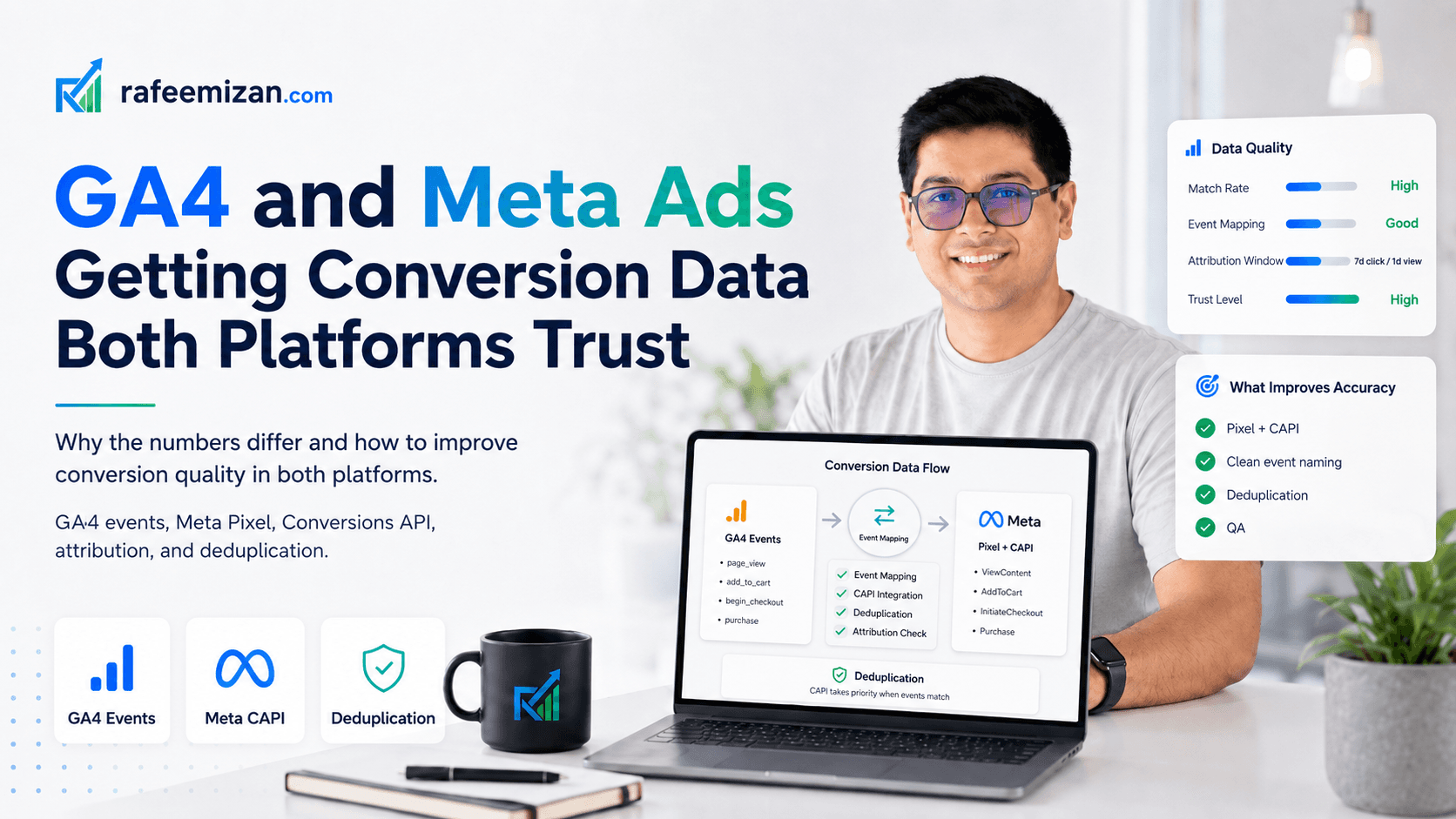
Attribution windows are different. GA4 uses session-level attribution with a 30-day lookback by default. Meta uses a 7-day click, 1-day view attribution window by default, but can be set to other windows. Meta will take credit for a conversion if someone saw or clicked your ad within the attribution window, even if they converted days later via a different channel. GA4 will attribute that same conversion to organic search if that was the last session before conversion.
Conversion definitions are different. Meta counts conversions based on the pixel event or CAPI event you fire. GA4 counts conversions based on the events you have marked as conversions in the GA4 admin. These often do not line up exactly. A Purchase event in Meta may include more or fewer conditions than your purchase event in GA4.
The pixel and GA4 are tracking different populations. GA4 runs on your site and sees every session. The Meta Pixel runs in the browser and is blocked by ad blockers, ITP, and privacy browsers — which are heavily used by people who also use Facebook. GA4 may miss some conversions too (especially without Consent Mode), but the populations affected are different.
View-through conversions. Meta includes view-through conversions (where someone saw your ad but did not click it, then converted through another channel) unless you turn this off. GA4 does not see these at all because there was no click-through session from Meta.
Cross-device behavior. Someone who sees your Meta ad on mobile and converts on desktop later. GA4 with default cookie tracking may not connect these as the same user. Meta may, because it has a logged-in user graph.
What to actually do about it
You cannot make the numbers identical. But you can make each platform's data more reliable independently, and you can set up a comparison framework that makes the discrepancy manageable.
Fix the Meta Pixel and Conversions API setup
Meta recommends running both the browser Pixel and the Conversions API (server-side). The CAPI sends conversion events directly from your server, bypassing ad blockers and browser restrictions.
What this means practically:
- Your server detects a purchase or form submission
- It sends an event to Meta's CAPI endpoint with hashed customer data (email, phone)
- Meta deduplicates against any Pixel event that also fired for the same conversion
- The result is more complete conversion data in Meta's system
Without CAPI, you are losing conversions from ad blocker users. For B2B and tech audiences, this can be 20-40% of your traffic.
Configure Consent Mode properly for GA4
If you are in the EU and users are declining cookies, GA4 is missing conversion data from non-consented sessions. Consent Mode v2 with basic mode enabled lets GA4 fire a ping for non-consented users and use Google's modelling to estimate what those conversions would have been.
This does not help Meta's numbers, but it gives GA4 a more complete picture and makes comparisons more meaningful.
Align your conversion definitions
Document exactly what each platform counts as a conversion:
- In Meta: which pixel event, which custom conversions, what conditions
- In GA4: which events are marked as conversions, what triggers them
If they are measuring different things, the number difference is expected. If they should be measuring the same thing but the triggers are defined differently, fix that.
Turn off view-through conversions in Meta if they are not meaningful to you
In Meta Ads Manager, go to Ads Manager > Columns > Customize > Attribution window settings. You can view results with view-through conversions excluded. For direct-response advertisers with short sales cycles, this often gives a more actionable number.
What to use for campaign optimization
For Meta campaign optimization (deciding which ad sets to scale or cut), use Meta's own data — even if you do not fully trust the absolute numbers. Meta's algorithm optimizes based on its own conversion signals. If you feed it CAPI events alongside Pixel events, the algorithm has better data to work with.
For overall marketing performance and budget allocation across channels, use GA4. It gives you a consistent cross-channel view using a single attribution model. It is incomplete, but it is more comparable across channels than mixing Meta's numbers with LinkedIn's numbers with Google's numbers.
The expectation to set internally
GA4 and Meta Ads will never report the same number. The goal is not to make them match. The goal is to:
- Make each platform's data as accurate as possible within its own model
- Understand why the discrepancy exists
- Have a clear policy for which number you use for which decision
Once your team understands this, the monthly conversation about "why the numbers are different" becomes a lot shorter.
If you want to review your specific setup and understand where the gaps are, get in touch. Attribution troubleshooting is a core part of my analytics work.